
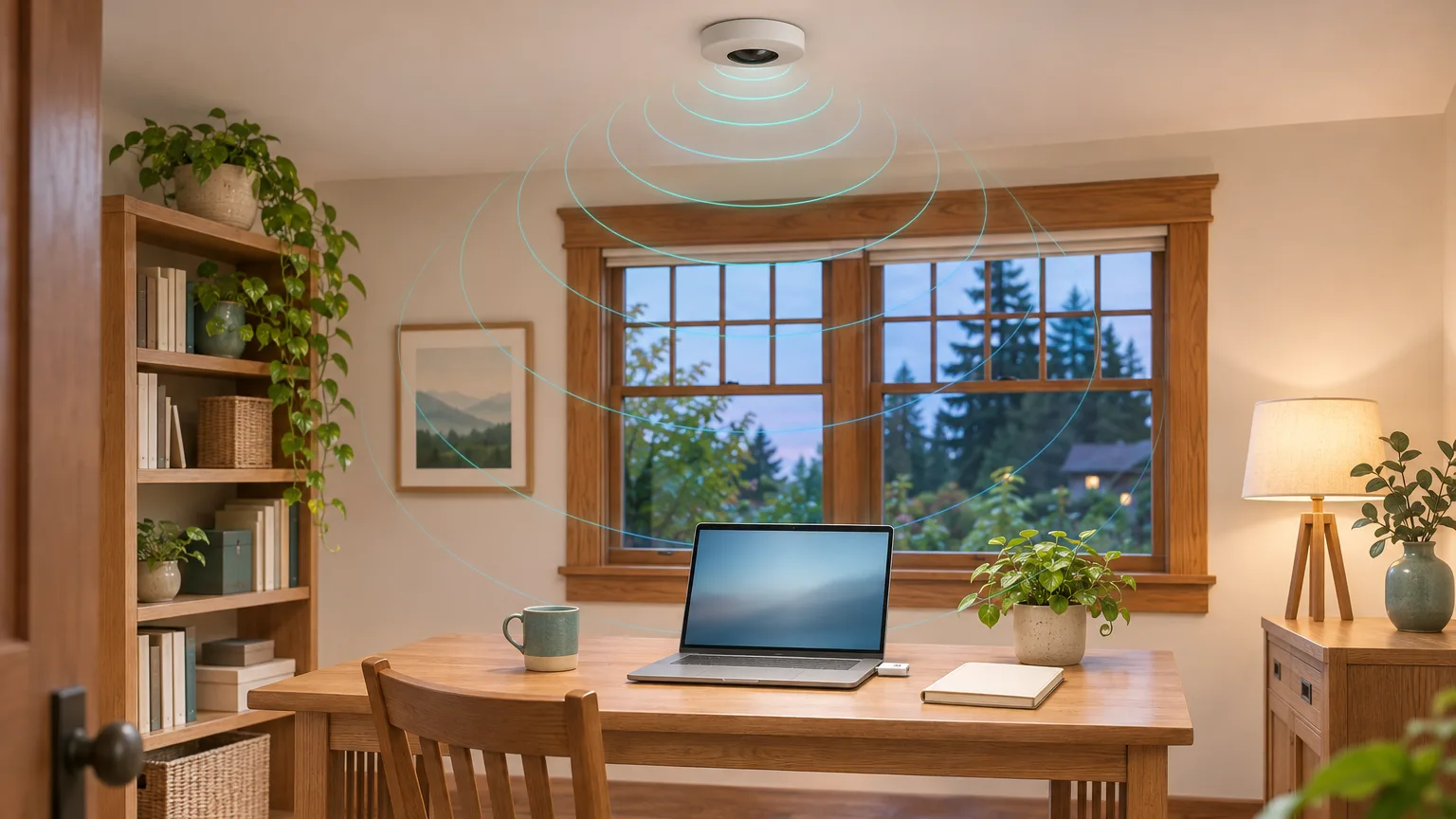
Li-Fi is wireless internet that travels on light instead of radio waves. A small unit on the ceiling sends data as light that flickers too fast to see, and a small adapter plugged into your laptop picks it up. Because it uses no radio signal, some people see it as a lower-exposure alternative to Wi-Fi. Today it is mostly an office product, and for most homes an Ethernet cable does the same job.
Li-Fi sends internet data on light instead of radio waves.
Wi-Fi carries your internet on radio waves. Li-Fi carries it on light. A ceiling unit switches its light on and off far too fast for your eye to notice, and a small receiver plugged into your laptop reads that flicker as data. Your laptop sends data back the same way, on a second beam of light.
Professor Harald Haas brought the idea to a wide audience in a 2011 TED talk called "Wireless data from every light bulb." In 2023 Li-Fi became part of the official Wi-Fi family of standards, IEEE 802.11bb, so Li-Fi equipment can speak the same networking language as Wi-Fi.
Most Li-Fi uses invisible light, not your ceiling lights.
Many people picture internet coming out of their light bulbs. In practice, the official standard and most Li-Fi sold today use infrared light, which sits just past what the eye can see. That means it works with the room lights off, and the lamps in your room stay ordinary lamps.
Signify's Trulifi system, the one sold by resellers such as lifi.co, uses infrared in both directions according to its specification sheet. Systems that do use visible light have a catch: a 2018 report from the ITU, the United Nations telecommunications agency, notes that the light has to stay switched on for the connection to work.
Li-Fi covers a small area and stops at the wall.
Light does not go through walls, so each Li-Fi unit only covers the space right under it. Signify's Trulifi office system works from about 4 to 9 feet away, and each ceiling unit covers a circle roughly 4 to 10 feet across. Move out of that circle, or block the receiver, and the connection drops.
Inside that circle the connection is reasonably fast. Signify rates the system at 150 megabits per second download, measured about 4 feet directly under the ceiling unit; it drops toward the edge of the circle. The signal also needs a fairly clear path, so a laptop lid or a stack of papers over the receiver can interrupt it in a way that never happens with Wi-Fi.

The small, contained signal is also a privacy advantage. The US Army bought thousands of Li-Fi units in 2021, and the maker, pureLiFi, said its system "cannot be detected outside of its defined cone of coverage," according to Cabling Installation & Maintenance.
Li-Fi removes one radio signal, not all of them.
Switching a laptop from Wi-Fi to Li-Fi removes the radio signal between that laptop and your router. It does not turn off your phone's cellular or Bluetooth radios, and your router keeps broadcasting Wi-Fi unless you switch that off too. The Li-Fi ceiling unit and adapter are also powered electronics; Signify's adapter alone draws 3.5 watts.
Light is itself a form of electromagnetic energy, so sellers' claims of "zero EMF" are not accurate. What Li-Fi avoids is the radio signal.
A meter shows whether a change actually worked. After switching, an RF reading in the room tells you whether the Wi-Fi signal is gone or whether a router, a laptop or a phone is still transmitting. Phones are the usual surprise, which is why our note on airplane mode overnight explains which radios each setting turns off.
Is Li-Fi less harmful than Wi-Fi?
We found no study that tests this directly. Li-Fi's appeal is that it uses no radio signal. Whether that matters depends on everyday Wi-Fi, where the UK Health Security Agency finds "no consistent evidence" of harm, and on the light, which the international radiation-safety commission ICNIRP considers safe for short-term exposure while saying flicker needs more research.
The idea that Li-Fi is healthier comes mostly from precaution-minded advocacy groups such as RF Safe, which wants Li-Fi built into new phones, tablets and laptops. You can find groups like this on our EMF organizations page.
The research has not caught up with the question. When we searched the medical research database PubMed on November 2, 2026, we found 83 papers on Li-Fi, almost all about engineering, and none on radio frequency exposure or health effects.
Agencies also differ on how cautious to be about Wi-Fi itself. The UK Health Security Agency sees no reason to stop using Wi-Fi, including in schools, while France bans fixed Wi-Fi access points in childcare rooms used by children under three. Our notes on EMF laws abroad and FCC limits and precautionary guidelines explain that difference. On the light side, the ICNIRP statement on LEDs covers both visible and infrared LEDs.
You can't easily get Li-Fi for your home yet.
Li-Fi is sold mostly to businesses, through resellers such as lifi.co that quote prices on request. No phone has it built in, and laptops need a USB adapter. Covering a home would mean a ceiling unit in each room and an adapter for each laptop, with phones still on Wi-Fi or cellular.
The best-known Li-Fi company, pureLiFi, went into administration, the UK insolvency process, on August 31, 2026, and all 42 employees were let go, Electronics Weekly reported. Earlier that year, at CES, it had shown a tiny Li-Fi module that phone makers were evaluating.
A wired connection does the same job today.
If you want less Wi-Fi where you work and sleep, an Ethernet cable removes the same radio link that Li-Fi would. It works with most computers, TVs and game consoles, does not need a clear path to the ceiling, and a single cable can run about 300 feet.
Our note on why wired technology still matters covers which devices are easiest to connect with a cable. Once the devices you use most are wired, you can turn the router's Wi-Fi off or put it on a schedule, and router placement matters for whatever stays wireless.
Whichever route you choose, measure before and after in the rooms you use. A reading shows what actually changed, which is the point of testing rather than guessing. An EMF consultation includes RF readings room by room. This is educational measurement, not a medical or diagnostic service.
Frequently asked questions about Li-Fi.
Is Li-Fi the same thing as Wi-Fi?
No. Wi-Fi uses radio waves that pass through walls. Li-Fi uses light, usually invisible infrared, that stays in the room. Since 2023 both belong to the same family of networking standards, so Li-Fi equipment can use the same networking rules as Wi-Fi.
Can my phone use Li-Fi?
Not yet. No mainstream phone has Li-Fi built in. Current systems connect laptops through a USB adapter, so phones and tablets still use Wi-Fi or cellular.
Does Li-Fi work with the lights off?
Most current systems do, because they use infrared light you cannot see. Systems that use visible light need that light switched on to stay connected.
Does Li-Fi give off any EMF?
Light is itself electromagnetic energy, so "zero EMF" is not accurate. Li-Fi avoids a radio signal, but the ceiling unit and adapter are powered electronics, so a meter held right next to them may still pick up a reading, as it would near any device.
Sources referenced for this Field Note.
- TED: Harald Haas, Wireless data from every light bulb. July 2011. Where the idea started for a general audience.
- IEEE 802.11bb-2023: Light Communications. The 2023 standard that added Li-Fi to the Wi-Fi family, using infrared light.
- Signify: Trulifi 6002.1 technical specification. Infrared links, range, coverage and speed.
- ITU-R Report SM.2422-0: Visible light for broadband communications. June 2018. Why visible-light systems need the light on.
- Cabling Installation & Maintenance: US Army invests in large-scale LiFi deployment. April 28, 2021. The Army purchase.
- RF Safe: homepage. Read November 2, 2026. RF Safe's view of Li-Fi and its policy proposal.
- UK Health Security Agency: Wi-Fi: radio waves and health. Updated February 19, 2025. The agency's position on Wi-Fi.
- ICNIRP: Statement on Light-Emitting Diodes (LEDs) and Laser Diodes. 2020. LED safety and the flicker question.
- PubMed: search for Li-Fi. Run November 2, 2026. How much Li-Fi research exists and what it covers.
- lifi.co: LiFi Group. Read November 2, 2026. What a current reseller sells.
- Electronics Weekly: Edinburgh's pureLiFi enters administration. September 3, 2026. The company's collapse.
- Android Authority: pureLiFi at CES 2026. January 6, 2026. The phone module under evaluation.